
Shipping Rules
Shipping Rules let you customize the shipping options shown at checkout. You can hide methods, set a custom display order, rename methods, or show only specific methods and hide the rest, all based on conditions.
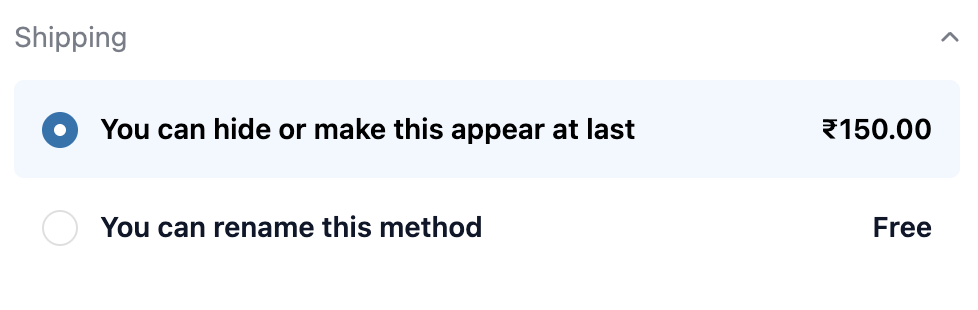
Rule types
Section titled “Rule types”| Type | What it does |
|---|---|
| Hide methods | Removes specified shipping methods when conditions match |
| Reorder methods | Sets the priority order of shipping methods (drag to arrange) |
| Rename methods | Changes the display name of a shipping method |
| Show specific & hide rest | Shows only the listed methods and hides all others |
How to set up
Section titled “How to set up”- Go to Shipping Rules and click Create rule.
- Configure settings (see below).
- Add Display Rules if the rule should only apply in certain scenarios.
- Toggle the rule active.
- Click Save.
Settings (per rule)
Section titled “Settings (per rule)”| Setting | Description |
|---|---|
| Status | Active or Inactive |
| Rule type | Hide / Reorder / Rename / Show specific |
| Conditions | The rules that decide when this rule should apply |
| Condition logic | Block when any condition matches or all conditions match |
Hide methods / Show specific: enter shipping method names (exact match or contains). Multiple methods can be listed.
Reorder methods: list methods in your desired priority order (drag to reorder). Top of list = highest priority.
Rename methods: map original method names to new display names. Supports exact match or contains.
Managing rules
Section titled “Managing rules”- Toggle rules on/off without deleting them.
- Delete a rule to remove it permanently.
- Rules affect only shipping methods already configured in your Shopify shipping settings.
- Rules do not add new shipping rates. Configure rates in Shopify Settings → Shipping.
- Works on checkout page.
Use cases
Section titled “Use cases”| Scenario | Conditions to set |
|---|---|
| Hide “Standard Shipping” for remote zip codes | Zip code starts with restricted range |
| Show only “Express” for high-value orders | Cart total is greater than $500, use “Show specific & hide rest” |
| Reorder so Free Shipping always shows first | Use Reorder rule, no conditions needed |
| Rename method for a specific market | Market equals Canada |
Best practices
Section titled “Best practices”- Prefer “Show specific & hide rest” over listing every method to hide as it’s more resilient when you add new shipping rates later.
- Use “contains” matching for method names to handle minor naming variations.
- Test rules by placing a test order from the relevant region or with the relevant cart value before going live.
- Keep rules named clearly (e.g. “Hide Standard - Rural ZIP”) so you can audit them later.
- Leave rules inactive until tested and confirmed working.
When to use this vs Payment Rules
Section titled “When to use this vs Payment Rules”| Shipping Rules | Payment Rules |
|---|---|
| Controls which delivery methods appear (Standard, Express, Click & Collect, etc.) | Controls which payment gateways appear (COD, BNPL, credit card, etc.) |
| Use when certain shipping options should not be available for specific zones, cart values, or product types | Use when certain payment methods are not appropriate for specific customers or order sizes |
Both can be active simultaneously, for example restrict to Express delivery and hide COD for high-value international orders.