
Shipping Info
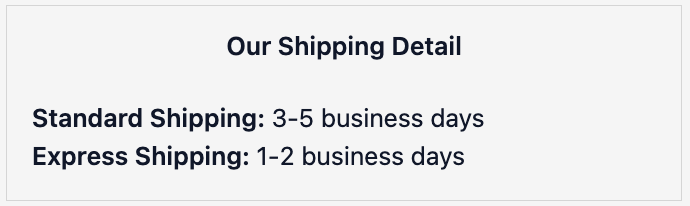
Shipping Info lets you display a section of shipping details on your checkout, thank you page, or order status page. Each row shows a heading, body text, and an optional inline link — use it to communicate delivery times, cut-off times, or link to your shipping policy.
How to set up
Section titled “How to set up”- Go to Shipping Info in the app.
- Configure display settings (see below).
- Click Save.
- In the Shopify checkout editor, add the Shipping description block to the relevant page.
Display settings
Section titled “Display settings”| Setting | Description |
|---|---|
| Status | Toggle to enable or disable the extension |
| Main heading | Heading shown at the top of the section (e.g. “Our shipping details”) |
| Show on Checkout | Show the section on the checkout page |
| Show on Thank You Page | Show the section on the Thank You Page |
| Show on Order Status Page | Show the section on the Order Status Page |
Shipping rows
Section titled “Shipping rows”Each row you add can have:
| Field | Description |
|---|---|
| Heading | The row title (e.g. “Standard Delivery”) |
| Text | The body text. Use {link} where you want the link to appear inline |
| Link URL | Optional: URL this row links to |
| Link text | Optional: the clickable label for the link (e.g. “View shipping policy”) |
You can add as many rows as needed.
- Use
{link}in the text field to embed the link inline: e.g. “Free on orders over $50. {link} for more details.” - For delivery notes entered by the customer, use Delivery Instructions instead.
- Works on checkout, thank you page, and order status page.
Use cases
Section titled “Use cases”- Display shipping tiers (Standard, Express, Free) with estimated delivery times
- Show a cut-off time: “Orders placed before 2pm ship same day”
- Link to your shipping policy for customers who want details before committing
Best practices
Section titled “Best practices”- Add 2–3 rows: one for each shipping tier (Standard, Express, Free) with estimated delivery times.
- Include a dispatch cut-off time if you have one: “Orders placed before 2pm ship same day”.
- Use
{link}to embed your shipping policy link inline in the row text rather than as a separate button. - Keep heading text short and scan-friendly. Customers glance at this, they don’t read it.
When to use this vs Delivery Instructions
Section titled “When to use this vs Delivery Instructions”| Shipping Info | Delivery Instructions |
|---|---|
| Merchant-written static info shown to all customers (delivery times, cut-offs, policies) | Customer-entered free text with specific instructions for their delivery |
| Use to set expectations about your shipping service | Use to collect special requests from the customer (where to leave the parcel, access codes) |