The Thank You Page Upsell shows a paid product offer on the thank you page, the screen customers see right after completing their order. The customer is still engaged and in a buying mindset, making this a good moment for a follow-up offer.
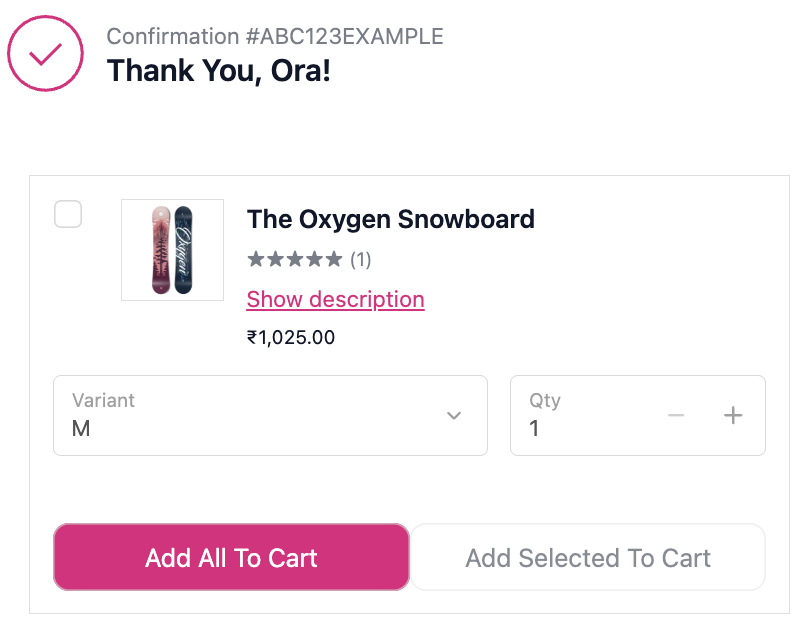
- Go to Thank You Page Upsell and click Create.
- Select Thank You Page Upsell as the type.
- For A/B testing, toggle Enable A/B Testing. A second product selection section appears for Variant B. All other display settings are common.
- Set Display Rules to target specific customers or orders.
- Select the product to offer:
- Manual: pick specific products or variants
- Automatic: the app selects based on what is in the order
- Collection: choose from a product collection
- Configure display settings (see below).
- Click Save.
- In the Shopify checkout editor, add the Upsell block to the thank you page.
| Setting | Options |
|---|
| Upsell heading | Text shown above the offer |
| Campaign image | Optional image for the offer section |
| Layout | Horizontal carousel / Vertical carousel |
| Button style | Primary / Secondary |
| Variant selector | Allow customers to select a variant before adding |
| Show product description | Show a collapsible description under each product |
| Allow editing quantity | Let customers change the quantity before adding |
- Creates a new separate order when the customer adds the product. It does not modify the original order.
- Conditions evaluate against the completed order, not the cart, so you can target based on what was actually purchased.
| Scenario | Setup |
|---|
| Cross-sell a consumable after an initial purchase | Match product condition to what was just ordered |
| Offer a bundle component they didn’t buy | Manual product selection + product condition |
| Introduce a new product to an existing buyer | No conditions, broad audience |
| Reward first-time buyers with a special offer | Customer is new condition |
- Match the offer to what was just purchased, since a relevant offer on the thank you page converts far better than a generic one.
- The customer is still engaged and in a buying mindset right after checkout. Keep the offer simple and quick to decide.
- Since this creates a new order, make sure your fulfilment workflow handles two separate orders from the same customer placed close together.
- Keep the heading relevant: tie it to the product they just bought rather than using a generic line.
| Thank You Page Upsell | Post-Purchase Funnel | Order Status Page Upsell |
|---|
| Widget on the thank you page, customer places a new order | Full-page offer before the thank you page, adds to the same order | Shown when customer returns to check order status |
| Good for quick follow-up offers | Best for high-value related add-ons with no re-payment friction | Best for replenishment and re-engagement |
