
Post-Purchase Funnel
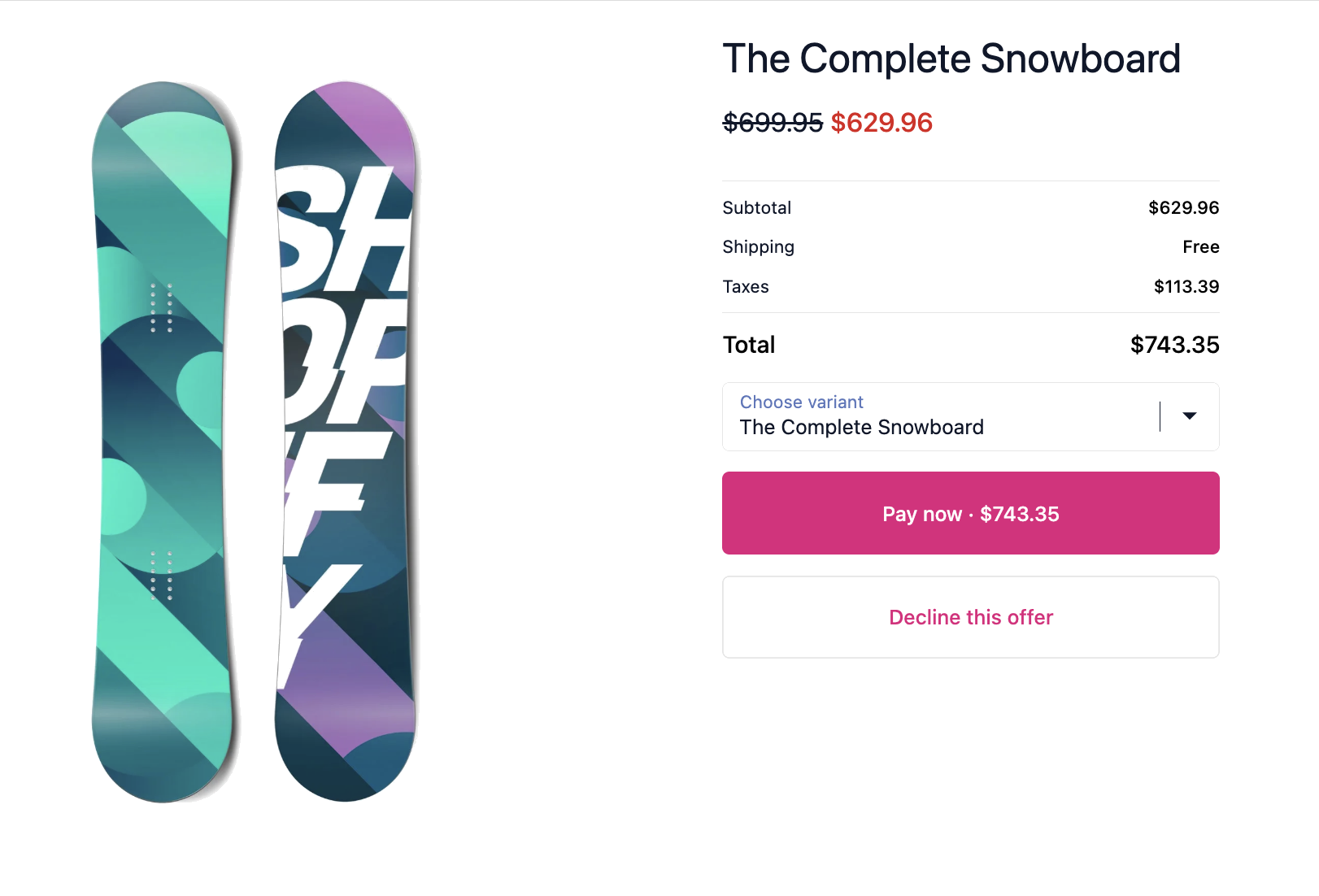
A Post-Purchase Funnel shows a sequence of full-page offers to the customer immediately after they complete their order, before they reach the thank you page. You configure a main product offer, an upsell shown if they accept, and a downsell shown if they decline. Since the payment is already authorised, adding any offer charges the customer without them needing to re-enter payment details.
How it works
Section titled “How it works”- Customer places an order.
- The main product is shown as a full-page offer.
- If the customer accepts the main offer → it is added to their order, and the upsell is shown next (if configured).
- If the customer declines the main offer → the downsell is shown instead (if configured).
- Accepting or declining the upsell/downsell takes the customer to the thank you page.
Creating a funnel
Section titled “Creating a funnel”- Go to Post-Purchase Funnels and click Create.
- Enable A/B testing to test two product upsell. Variant B columns appear alongside Variant A for separate product selection.
- Funnel active toggle on to make the funnel live.
- Show for all toggle on to show the funnel to every customer. Toggle off to set Display Rules for specific customers or orders.
- Set the offer title, and countdown timer if needed.
- Select the main offer product and optionally set a discount percentage.
- Optionally select an upsell product (shown if accepted) and a downsell product (shown if declined), each with their own discount.
- Click Save.
- In Shopify, go to Settings → Checkout → Post-purchase page and make sure the post-purchase extension is activated.
- The post-purchase funnel is a separate Shopify extension type and must be enabled in your Shopify checkout settings.
- Make sure the post-purchase extension is activated in Shopify Settings → Checkout → Post-purchase page.
Use cases
Section titled “Use cases”| Scenario | Conditions to set |
|---|---|
| Show funnel only when a specific product is purchased | Product tag contains target tag or product title contains product name |
| Show a high-ticket upsell only for large orders | Cart total is greater than $200 |
| Show a replenishment offer only to returning customers | Customer order count is greater than 0 |
| Show only for customers in a specific market | Market is United States |
Best practices
Section titled “Best practices”- Keep the upsell product closely related to what was purchased. Relevance is the #1 driver of conversion.
- Always configure a downsell as customers who decline are still in a buying mindset and a lower-priced offer often converts.
- Use the countdown timer to create urgency. 10–15 minutes works well without feeling too pressured.
- Track performance per funnel in Revenue Analytics and iterate.
When to use this vs Thank You Page Upsell
Section titled “When to use this vs Thank You Page Upsell”| Post-Purchase Funnel | Thank You Page Upsell |
|---|---|
| Full-page offer shown before the thank you page | Widget shown on the thank you page |
| Customer adds to the same order with no second payment needed | Customer places a new order |
| Higher conversion due to frictionless payment | Lower friction to create, no Shopify Plus required |
| Use for higher-value, closely related add-ons | Use for lighter follow-up offers |