
Delivery Instructions
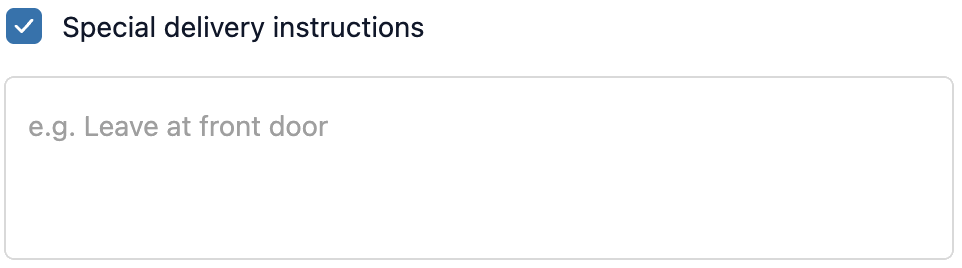
The Delivery Instructions extension adds a checkbox to checkout. When the customer checks it, a text field expands where they can leave specific notes for their delivery, such as where to leave a parcel, gate codes, or courier instructions.
How to set up
Section titled “How to set up”- Go to Delivery Instructions in the app.
- Configure display settings (see below).
- Click Save.
- In the Shopify checkout editor, add the Delivery Instructions block to the desired page(s).
Display settings
Section titled “Display settings”| Setting | Description |
|---|---|
| Status | Toggle to enable or disable the extension |
| Heading | The label shown next to the checkbox |
| Placeholder | Hint text shown inside the expanded text field |
- The text field is hidden until the customer checks the checkbox, keeping the checkout clean for customers who have no special instructions.
- Delivery instructions are saved as order attributes and are visible in your Shopify admin on the order page.
- Works on checkout page only.
- For general order requests not related to delivery, use Order Note instead.
Best practices
Section titled “Best practices”- Set a helpful placeholder: “E.g. Leave at the back door, ring bell, safe location…”
- The checkbox keeps checkout clean. Only customers who need to give instructions will see the field expanded.
- Pass delivery instructions to your courier or warehouse system using Shopify order attributes.
When to use this vs Order Note vs Gift Note
Section titled “When to use this vs Order Note vs Gift Note”| Delivery Instructions | Order Note | Gift Note |
|---|---|---|
| For delivery-specific requests (where to leave the parcel, access codes, courier notes) | A general free-text field for any order-level comment | For gift-specific info: sender, recipient, personal message |
| Use when you need information to fulfil the delivery | Use for personalisation or general instructions not tied to delivery | Use when customers are sending orders as gifts |