
Buy Again - Point Of Sale
The Buy Again POS extension brings reorder capability to your physical store. When a customer is at the counter, staff can look up their purchase history and add previously bought items to the current POS order in seconds.
Requirements
Section titled “Requirements”- Shopify POS installed and active on your device
- Customer must be added to the cart
- Customer must have at least one previous online or in-store order
Where It Appears
Section titled “Where It Appears”Inside the Shopify POS smart grid, staff tap the Buy Again - Reorder Reminder tile during a POS order to fetch all the customer’s past purchases.
How to Enable
Section titled “How to Enable”- Open the Shopify POS app on your device
- On the home screen, tap Add tile
- Tap Apps
- Select Buy Again & Reorder Reminders
How Staff Use It
Section titled “How Staff Use It”- Attach the customer to the current sale. Tap Add customer and search by name or email.
- Tap the Buy Again tile on the smart grid
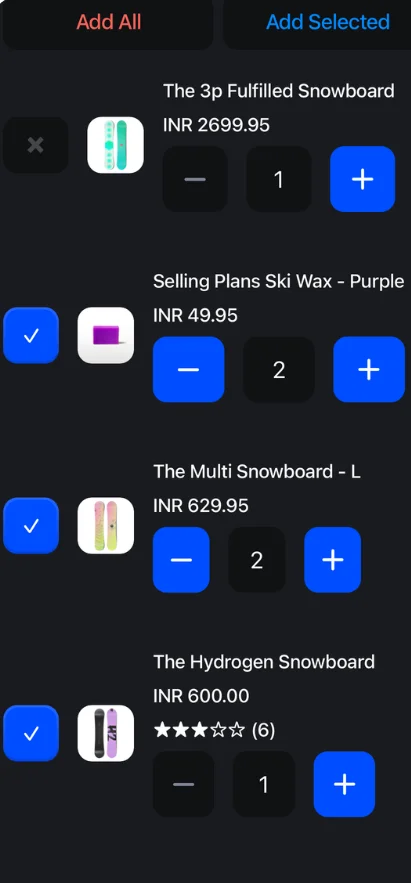
- A list of all products from customer’s past purchases appears
- Select the products to reorder and adjust quantities if needed
- Tap Add to cart to add items directly to the current POS cart
- Complete the sale as normal