
Buy Again - Reorder Page
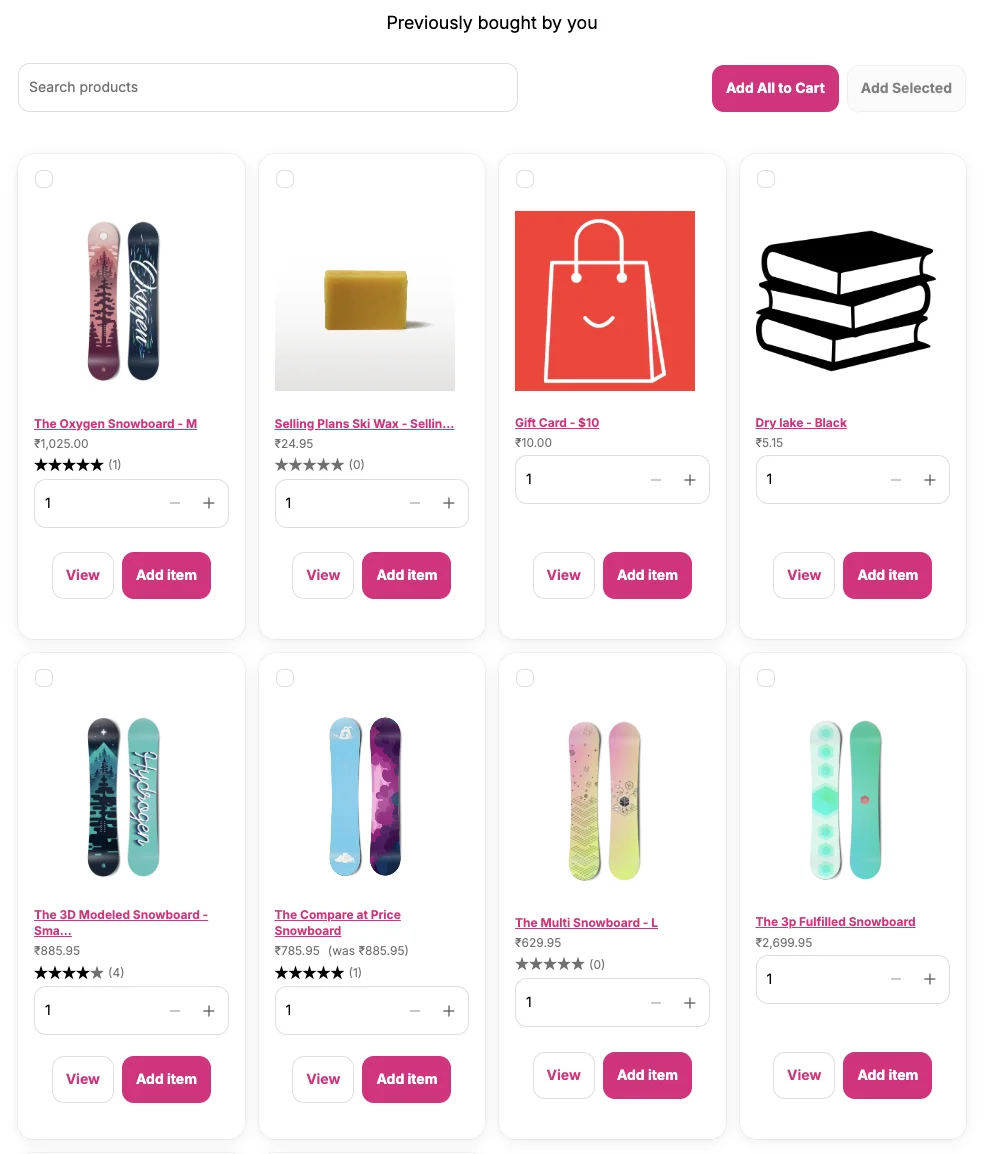
The Buy Again - Reorder Page adds a dedicated page to Shopify’s new customer account that shows all products from the customer’s past order history, making it easy to reorder anything with one click.
Requirements
Section titled “Requirements”- New customer accounts must be active
- Customer must be logged in with at least one previous order.
Where It Appears
Section titled “Where It Appears”A dedicated page inside the new customer account, accessible from the customer’s account navigation. Customers can link to it directly from your store’s navigation menu.
How to Enable
Section titled “How to Enable”- Go to Shopify Admin → Settings → Customer accounts and confirm New customer accounts is active
- Open the app Dashboard and click Open Customer Account editor
- Click the Apps icon (grid/puzzle icon) at the top of the left sidebar, search for “buy again page”, and add Buy Again Page from Buy Again & Reorder Reminders
- In the left sidebar, click Header → under Navigation, click the Menu dropdown and select Edit
- In the menu editor, click Add menu item → set the Label to
Buy Again→ in the Link field, search for and select Buy Again Page (from Buy Again & Reorder Reminders) → click the checkmark to confirm - Click Save
What Customers See
Section titled “What Customers See”- Every product they have previously ordered, sorted by most recent purchase date
- Product image, name, variant, and original purchase date
- A Buy Again button on each product
- Quantity selector before adding to cart