
Buy Again - Checkout Extension
The Buy Again - Checkout Extension adds a buy again - reorder extension to Shopify checkout page and it shows all products the customer has bought before so they can add items to their current order in one click.
Requirements
Section titled “Requirements”- Shopify Plus is required. Checkout extensions are only available on Shopify Plus.
- Only visible to logged-in customers with at least one previous order. Guest checkouts will not see this extension.
Where It Appears
Section titled “Where It Appears”Shows as an app block on the checkout page, inside the Shopify checkout editor. Appears only for logged-in customers who have a previous order history.
How to Enable
Section titled “How to Enable”- Open the app Dashboard and click Open Checkout editor
- Click Add app block
- Find Buy Again at Checkout and click Add
- Position it in the checkout page and click Save
What Customers See
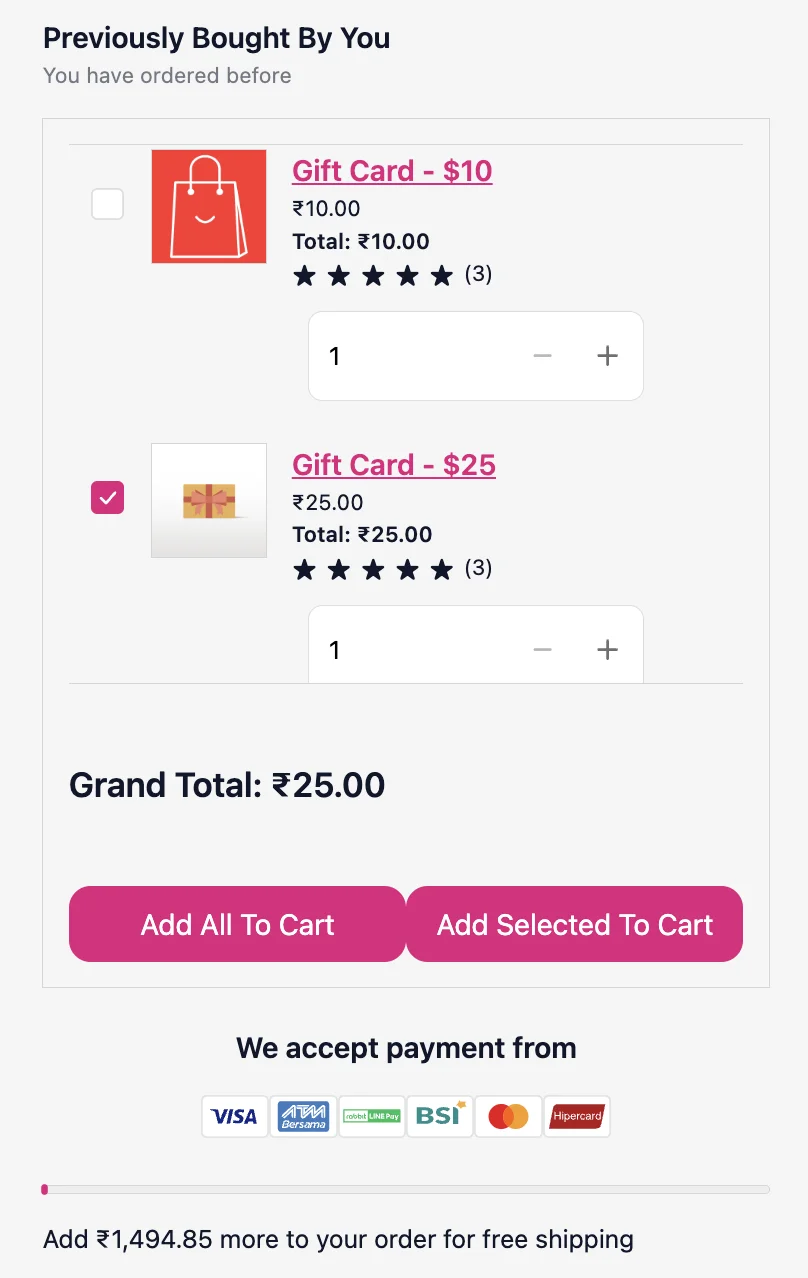
Section titled “What Customers See”- Products from their previous orders (most recent first)
- Product image, name, price, and quantity from last order
- Option to select individual products
- Add selected to cart: adds only the selected items
- Add all to cart: adds all items at once